
What it does
- Open jobs in Ashby become roles in Artemis.
- New applicants arrive in Artemis together with their CV, and Artemis grades them against the role.
- A thumbs up in Artemis moves the application to the stage you chose in Ashby. A thumbs down archives it with the archive reason you chose. Ashby sends the candidate no email.
- Candidates Artemis finds for you can be added to an Ashby job with the source "Artemis Recruit". If the person already exists in Ashby, that Ashby candidate is reused.
Connect Ashby to Artemis
1. Create an API key in Ashby
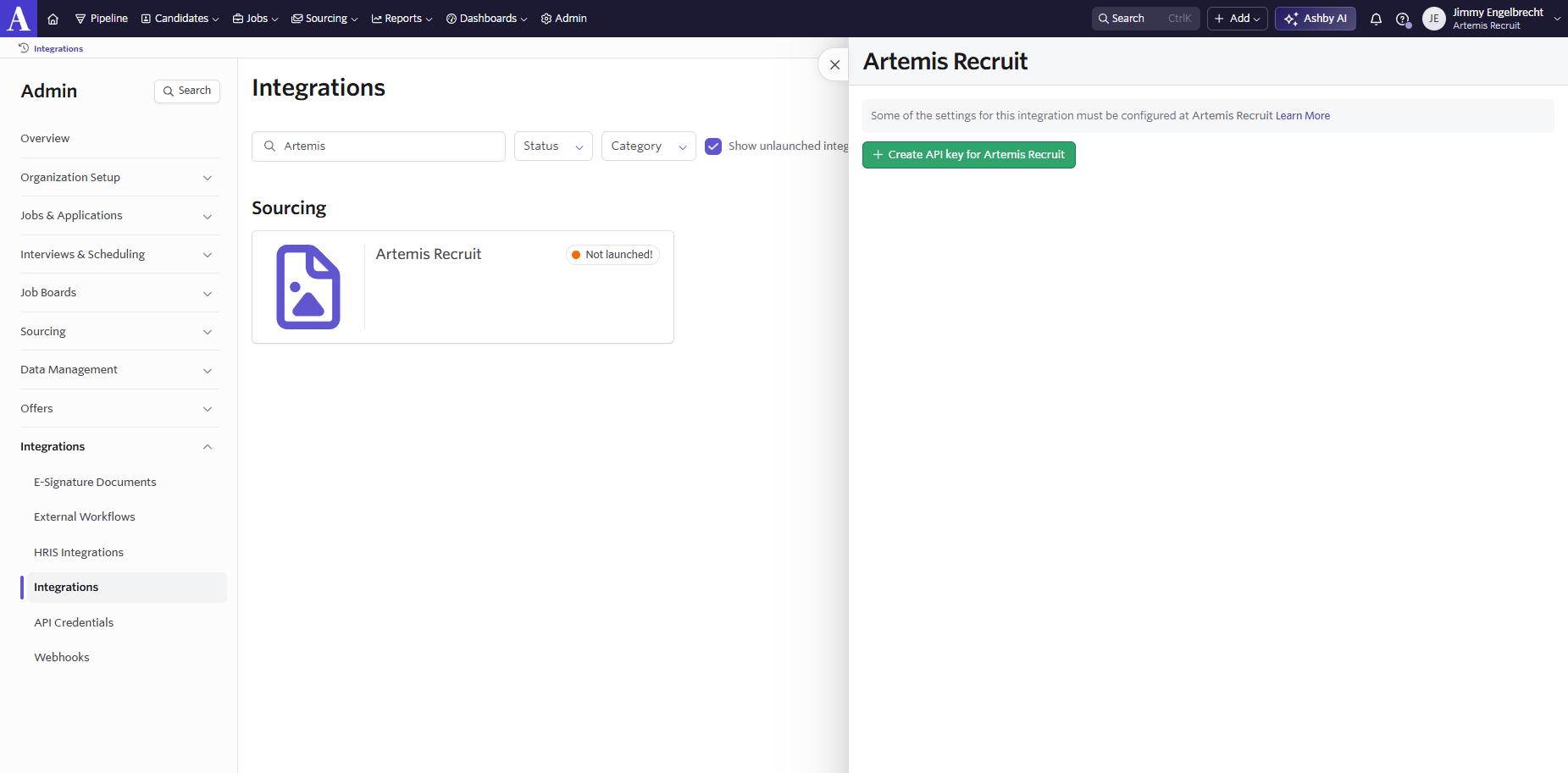
You need to be an Ashby admin. In Ashby, go to Admin, then Integrations, and find the Artemis Recruit tile. Open it and choose Create API key for Artemis Recruit. Copy the key.
2. Paste the key in Artemis
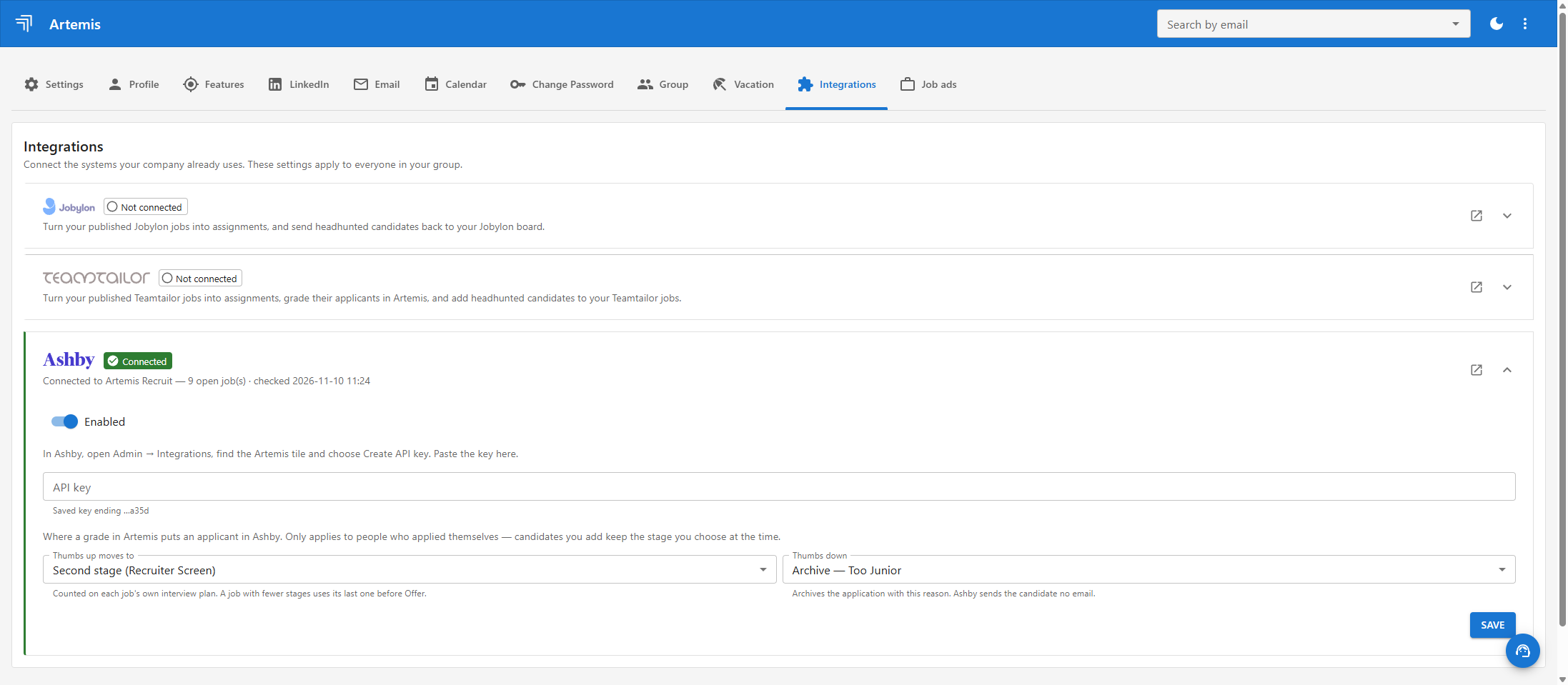
In Artemis, go to Settings, then Integrations, and open the Ashby card. Paste the key and choose:
- Thumbs up moves to: the Ashby stage an applicant moves to when you give a thumbs up.
- Thumbs down: the archive reason Ashby uses when you give a thumbs down.
Press Save. The card shows Connected, with the number of open jobs Artemis found in your Ashby.
Use it
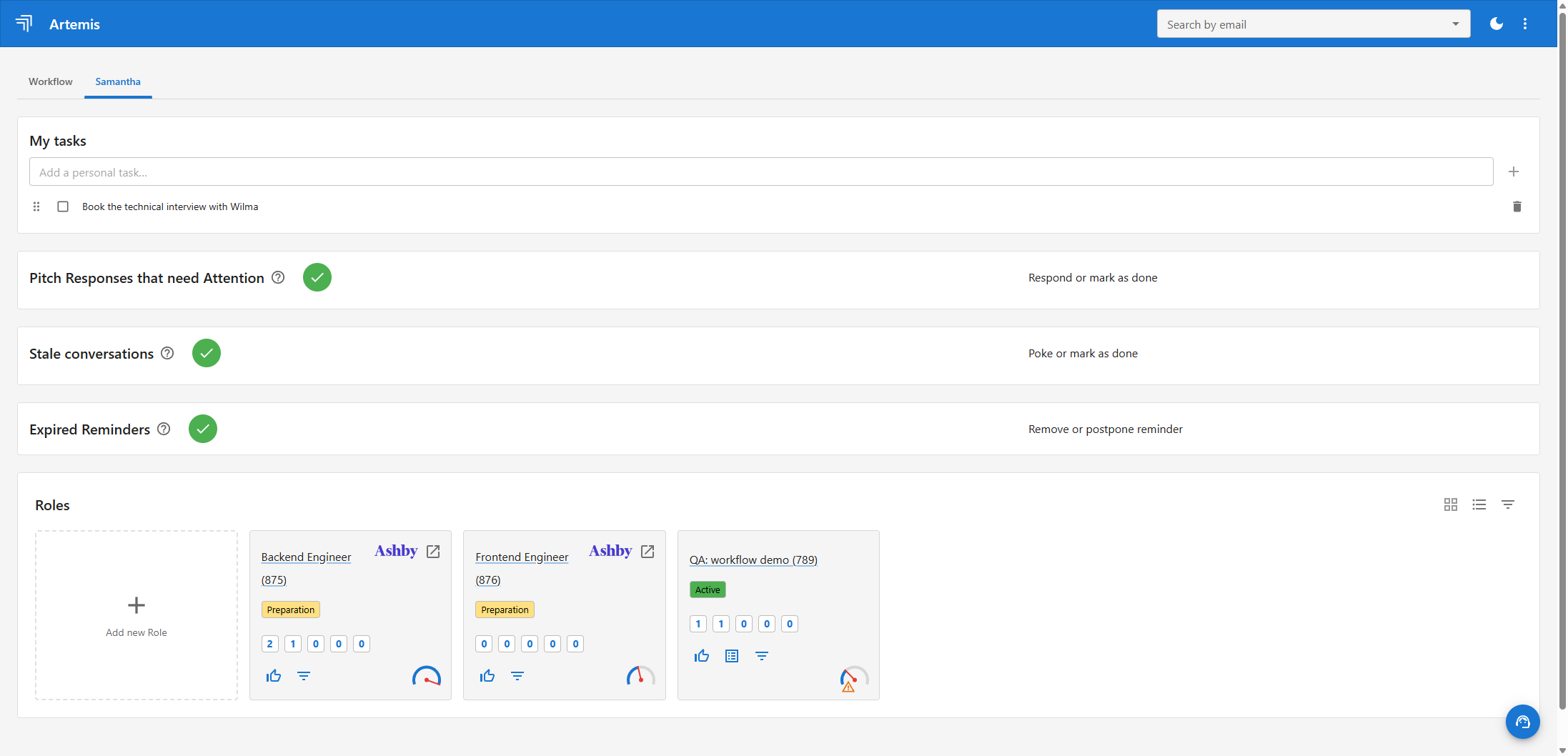
Import a job as a role
Pick an open Ashby job and import it as a role in Artemis. Roles that come from Ashby carry an Ashby mark that opens the job in Ashby.
Grade applicants
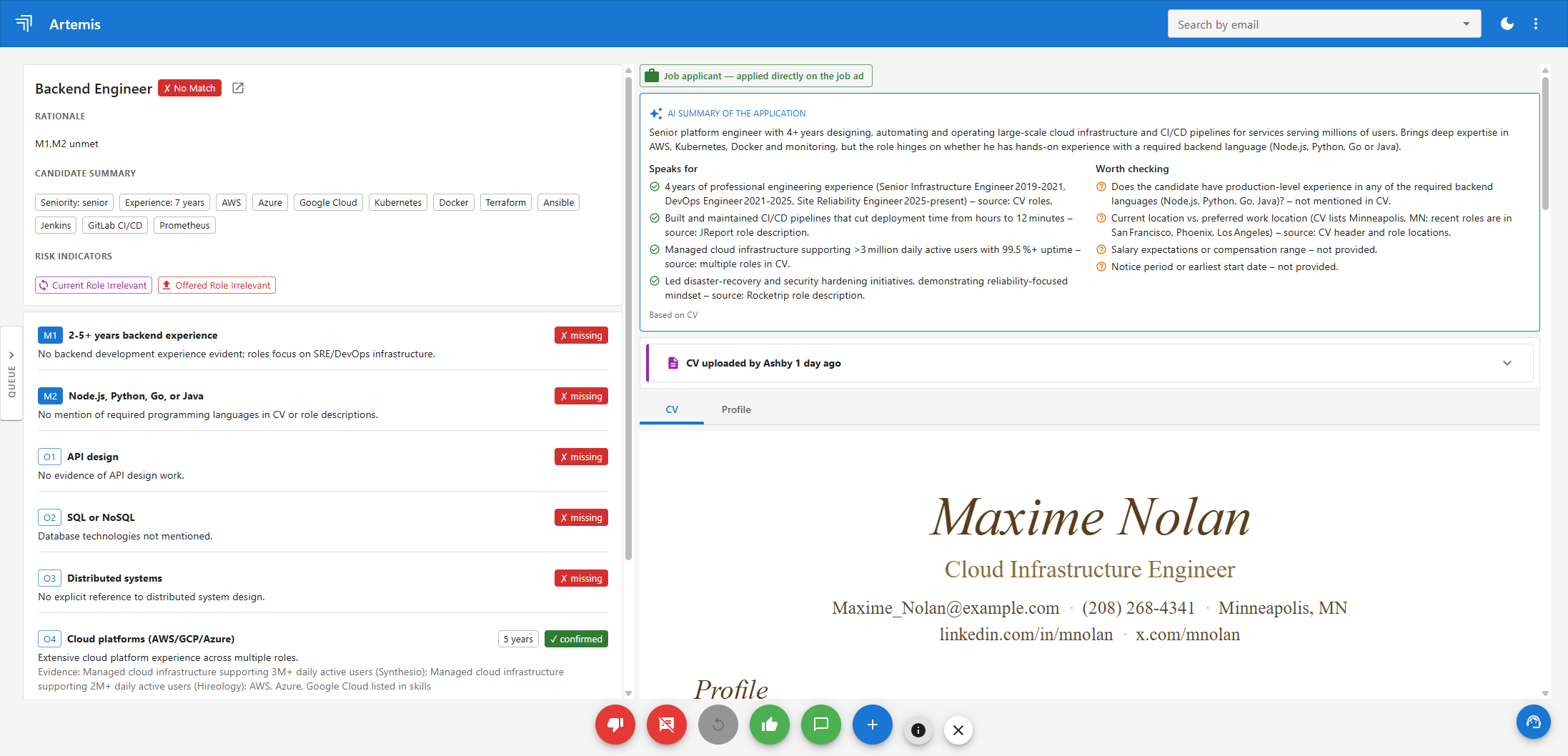
People who apply to the job in Ashby show up in Artemis with the CV Ashby holds. Read the match, then give a thumbs up or a thumbs down. Artemis updates the application in Ashby for you.
Add a candidate to Ashby
On a candidate's profile in Artemis, open the Roles tab and choose Add to Board, then Add to Ashby for a role that runs in Ashby. Pick a stage from the job's pipeline, or leave it empty and let Ashby decide. The person is added with the source "Artemis Recruit", and Ashby sends them no email.
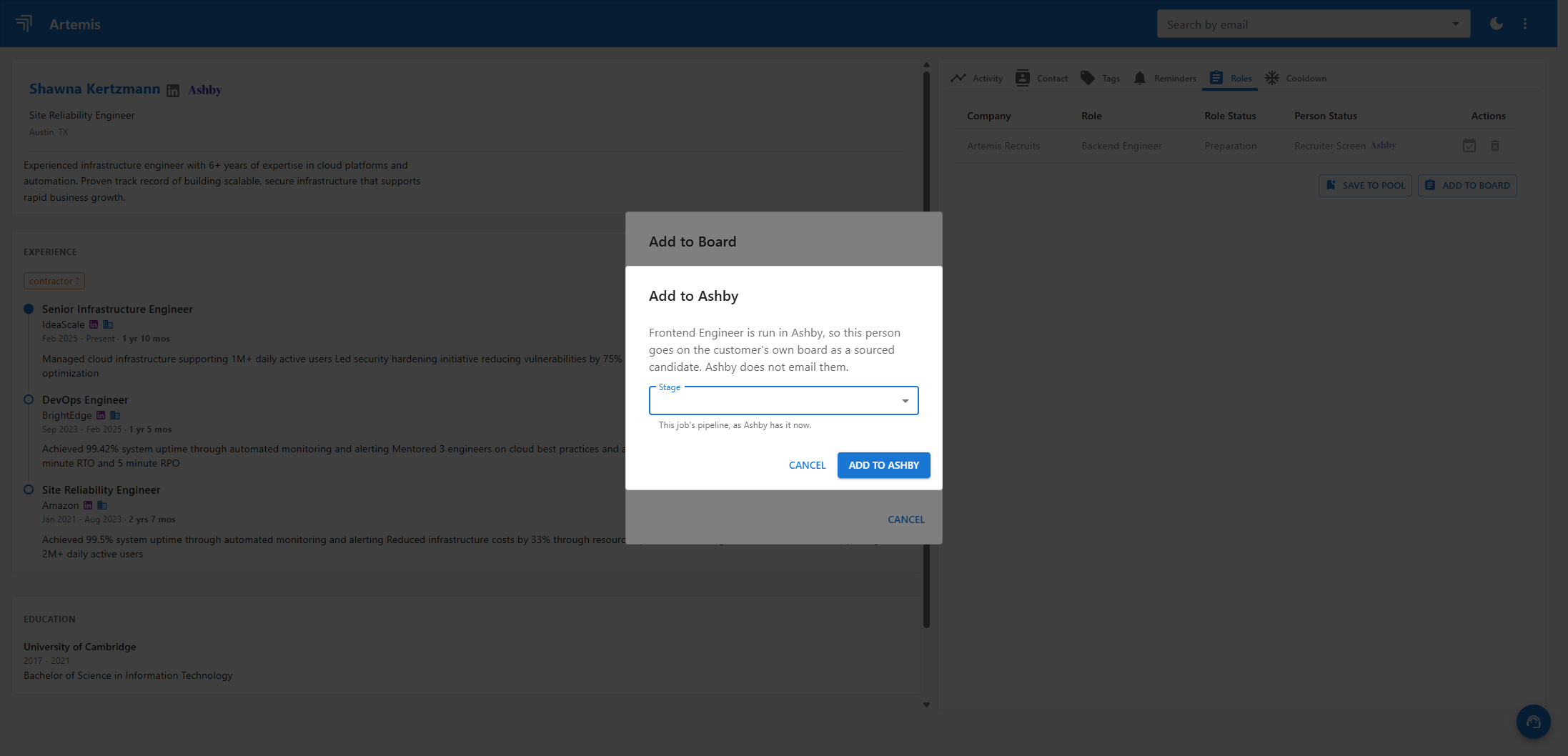
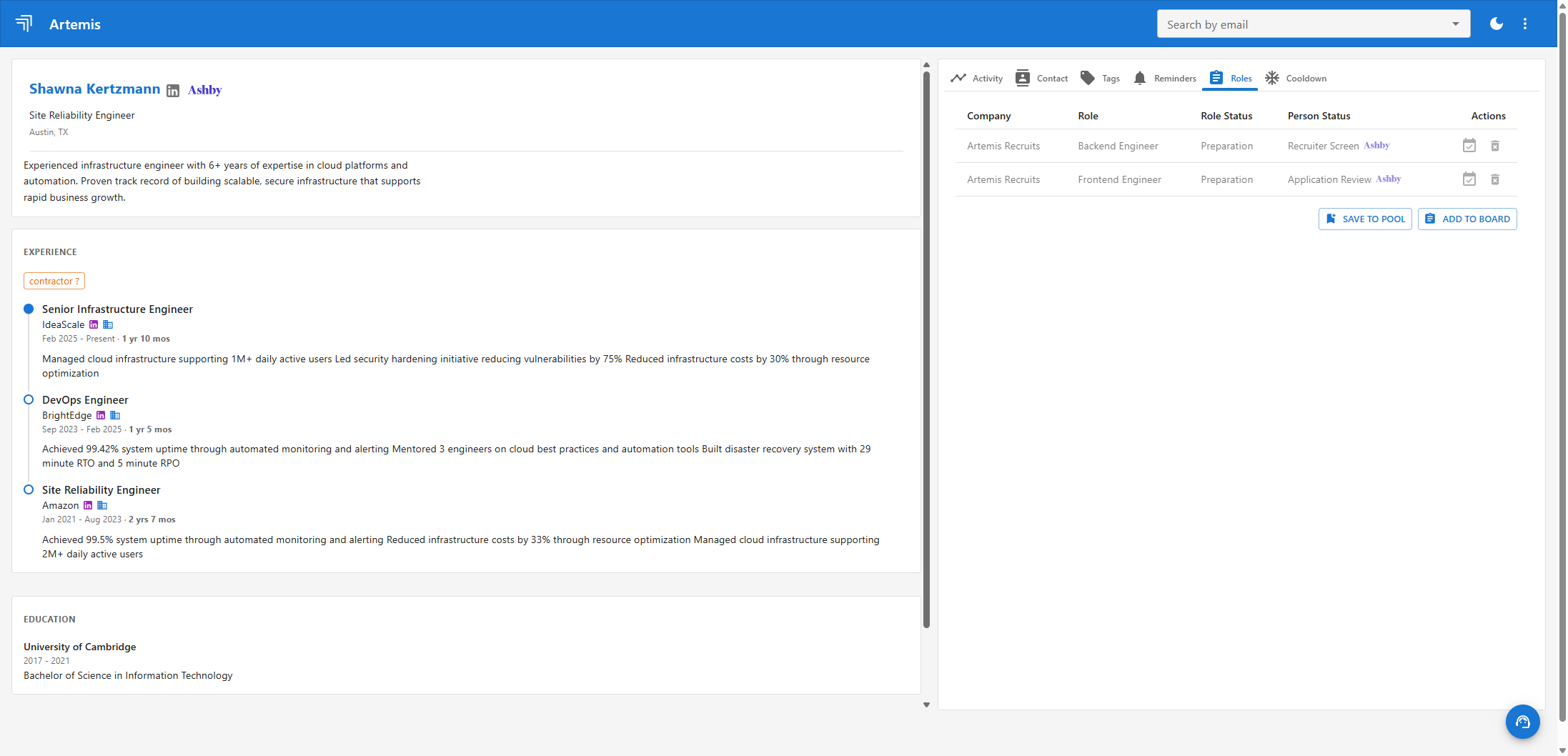
Afterwards the candidate's Roles tab lists each role with its Ashby stage, and the Ashby mark next to the candidate's name and to each stage links to the candidate or job in Ashby.
Good to know
- Artemis fetches new applicants from Ashby every few minutes.
- Only applications created after you saved the API key are brought in.
- To disconnect, use the same Ashby card under Settings, Integrations in Artemis.
Need help?
Write to sales@artemisrec.com and we will help you get connected.